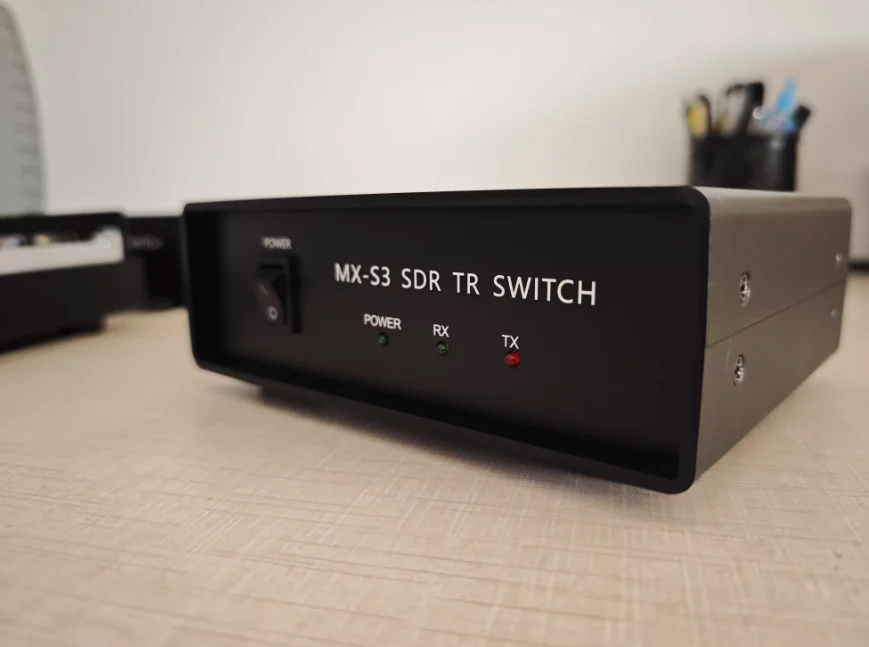
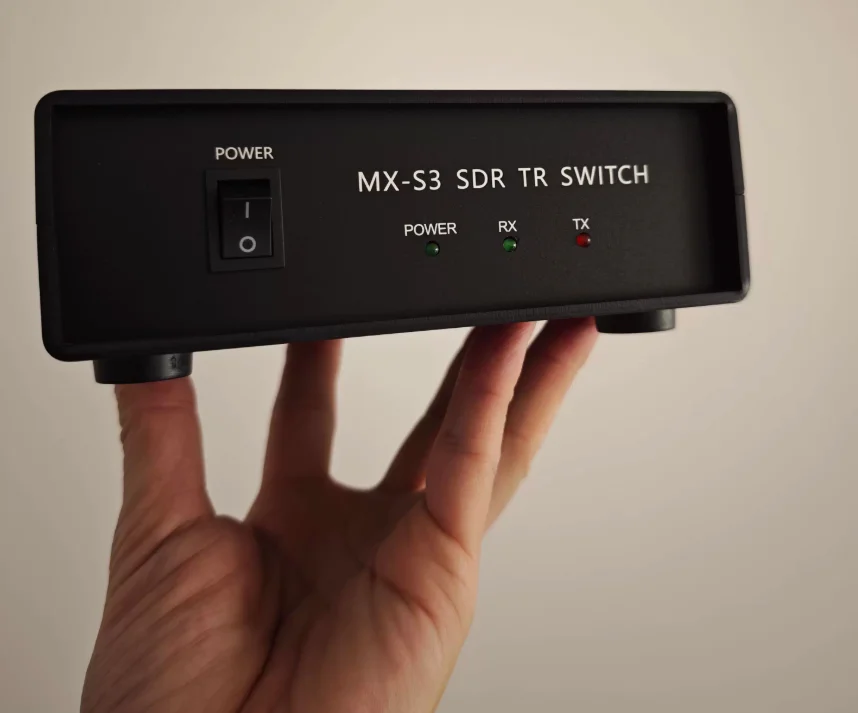
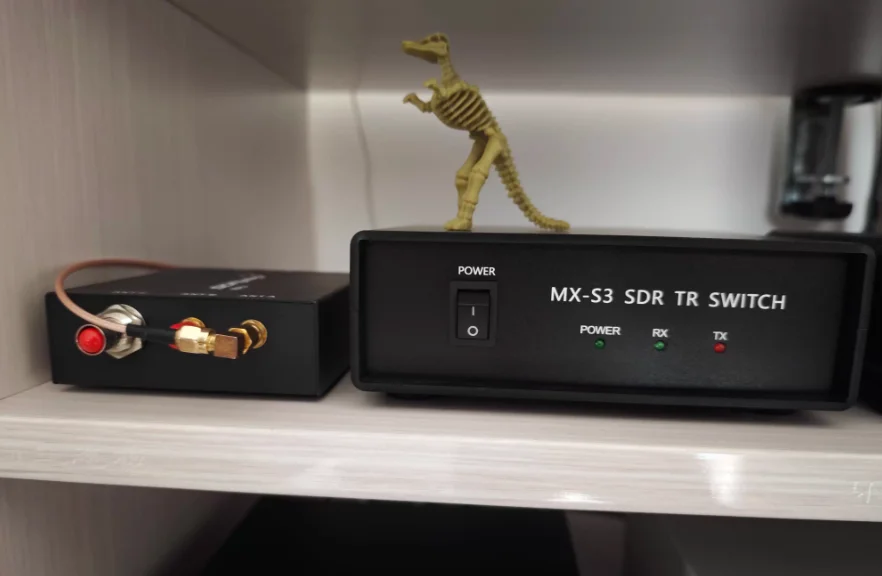
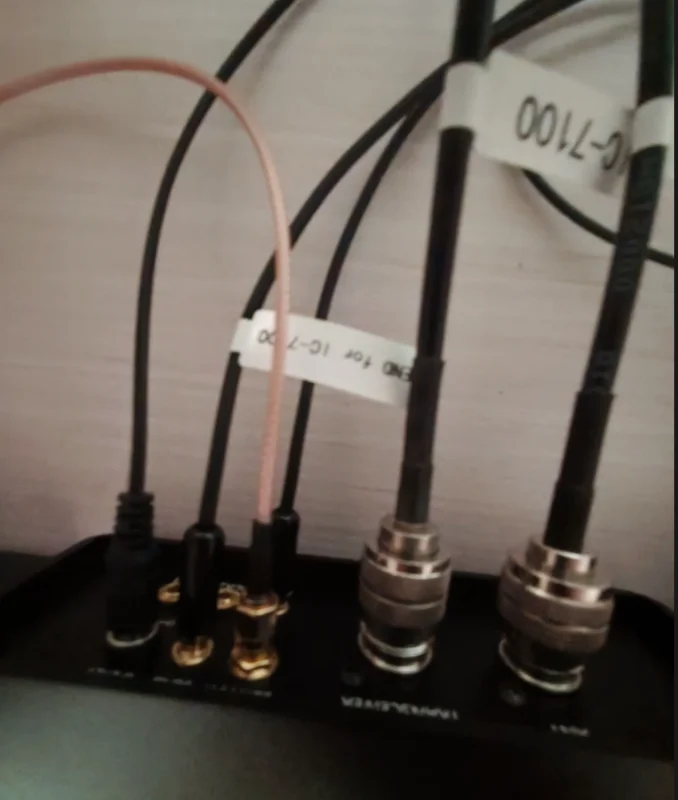
MX-S3 SDR Transceiving Switch Radio Spectrum/Secondary Receiver Adding RF Switch for FT-891/FT818/IC7100
In stock
-
All orders are dispatched the next 3 business days!
-
We will beat any price. We back all products with a 1 year guarantee.
Order in the next 0 hours 0 minutes to get it by /06/2026
Couldn't load pickup availability
Guaranteed Safe Checkout
Description:
- The MX-S3 is designed to add a second receiver to a transceiver or to connect an SDR software receiver for real-time spectrum analysis. This switch features high isolation and offers two transmission control methods: keying and RF sensing control. It also includes a receiver protection circuit and provides three AUX auxiliary control output interfaces, which can be used to control receiver muting, power amplifiers, and other external devices.
Specification:
- Power Supply: 12V±20%, 500mA
- Impedance: 50Ω
- Isolation: -70dB
- Insertion Loss: 0.15dB
- Power handling: 200W
- Operating frequency: 0.5 - 440MHz
- AUX1/AUX2 load capacity: 100mA/30V. These interfaces are controlled by MOSFET transistors and provide a low level during transmission.
- AUX3 interface load capacity: 1A/30V. This interface is controlled by a relay, with jumper-selectable normally open (NO) and normally closed (NC) states.


Package Included:
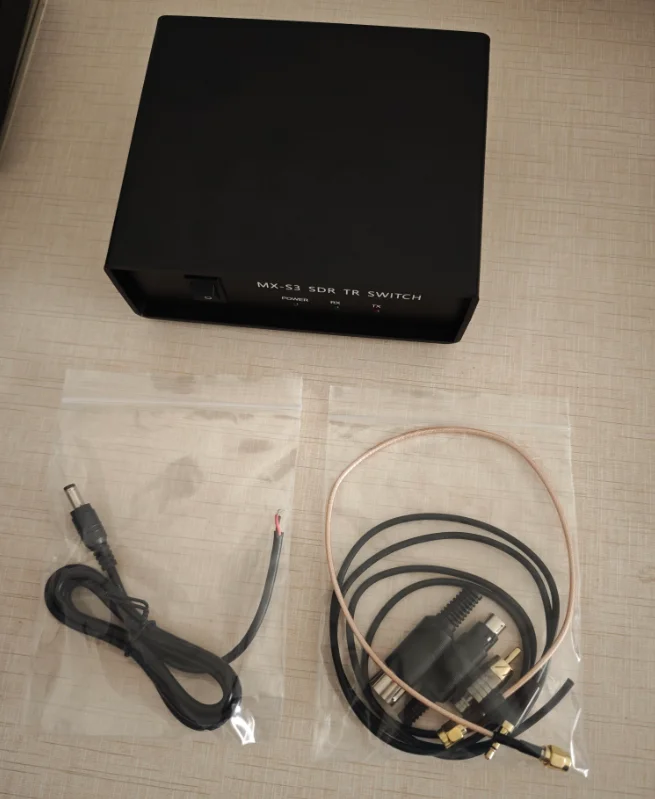
- 1 x SDR Transceiver Switch
Using Instruction:
1. Connect the DC interface to a 12V/0.5A DC power supply.
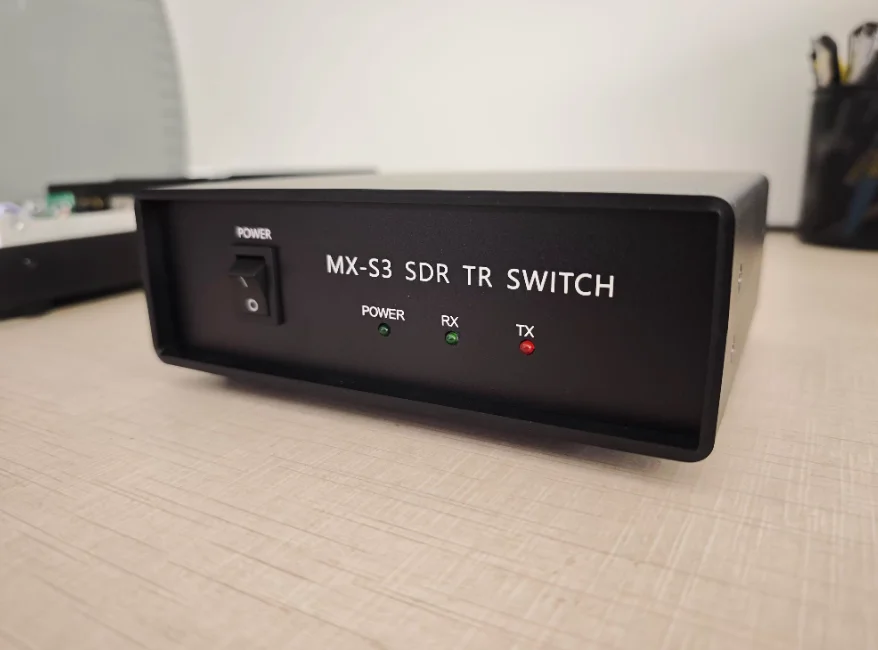
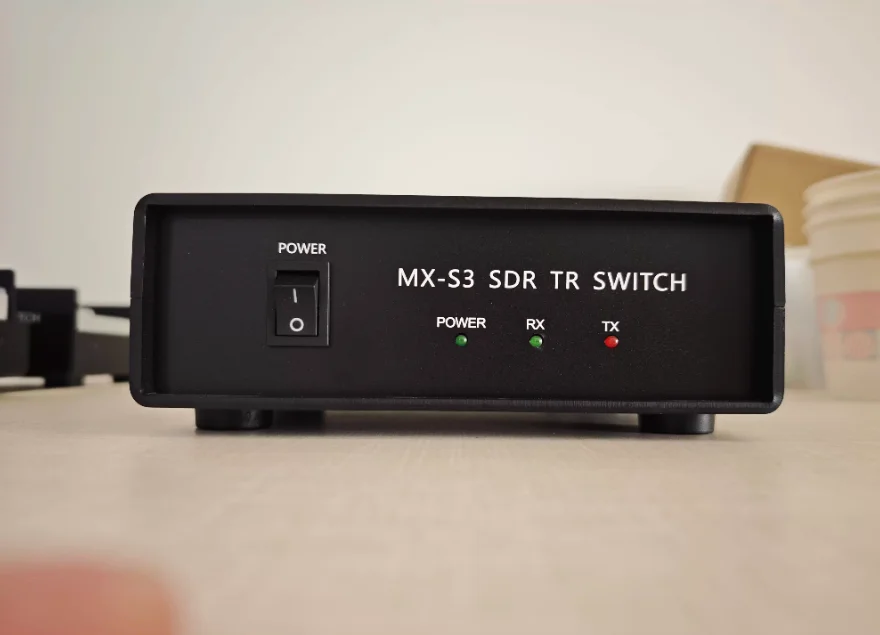
2. Turn on the POWER switch on the panel. The POWER indicator will light up, and the TX light will also illuminate.
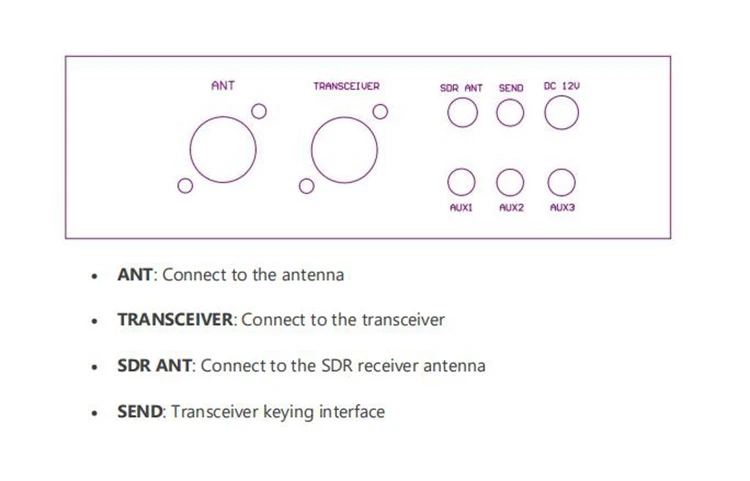
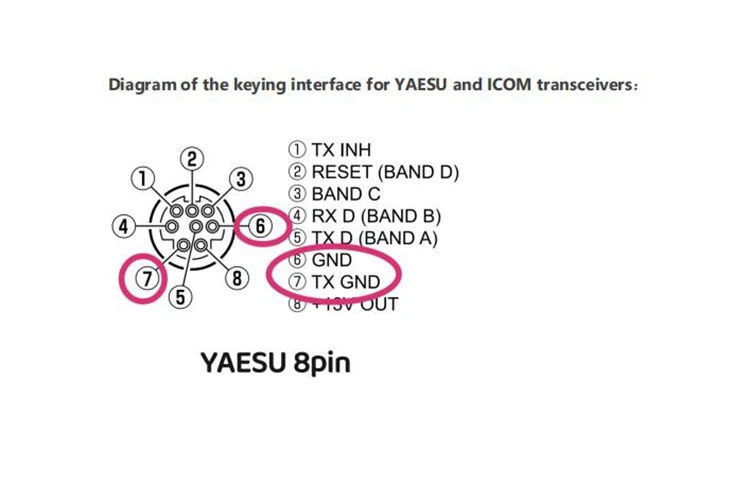
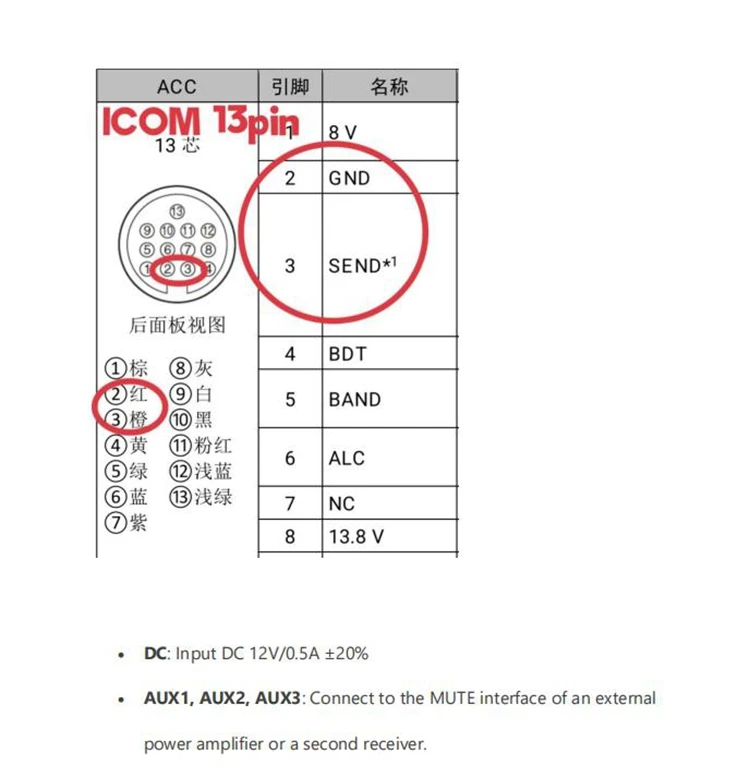
3. Insert the 3.5mm control cable plug into the SEND interface, and connect the other end to the SEND keying interface of the transceiver. At this point, the TX light will turn off, and the RX light will illuminate.
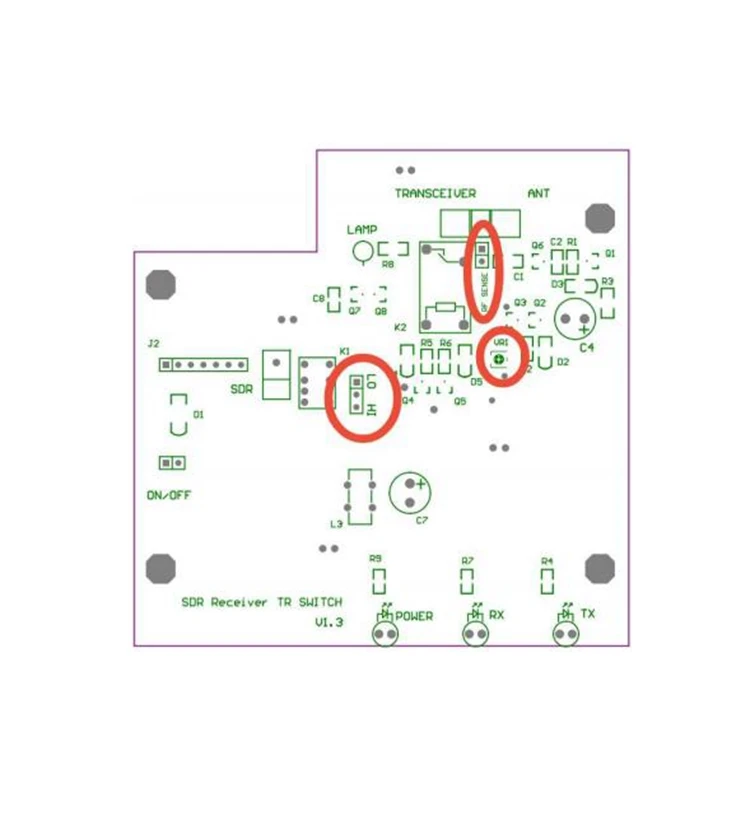
4. If using RF sensing for transmit/receive control, still insert the 3.5mm plug of the control cable into the SEND interface, but leave the other end unconnected. Additionally, short the RF SENSE jumper on the internal PCB and adjust VR1 to set the appropriate delay time.
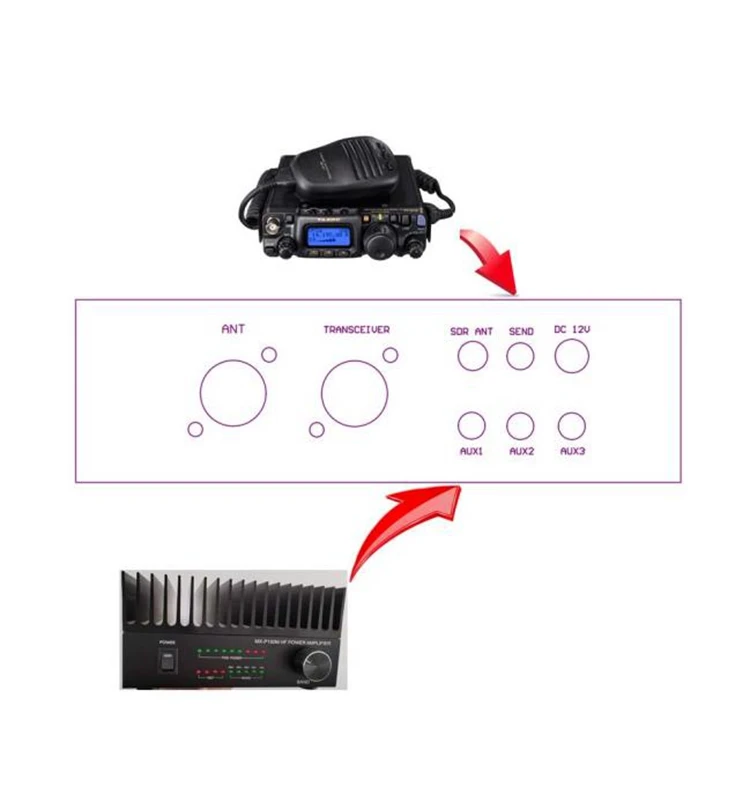
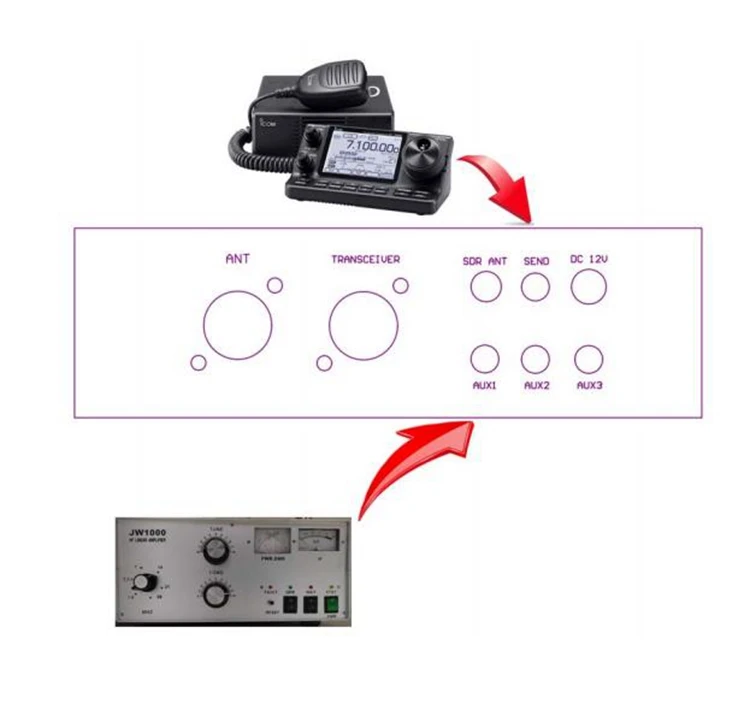
5. Connect the SDR ANT interface to the receiver antenna port, the ANT interface to the antenna, and the TRANSCEIVER interface to the transceiver.
6. AUX1/2/3 can be connected to the MUTE interface of a power amplifier or receiver. These interfaces provide a low level during transmission (AUX3 can be configured as normally open or normally closed via an internal jumper).
In the case where the transceiver needs to be connected to a power amplifier for use (if there is no need to connect it to a power amplifier for use, please ignore this).
Example 1:

Example 2:


RF SENSE: If using RF sensing control, short this jumper. Remove the jumper when using keying control. If the radio frequency sensing function control is not required, this jumper should be removed to improve the SWR (Standing Wave Ratio) and reduce the receiving loss.
VR1: Adjusts the transmit/receive switching delay time, adjustable from 40ms to 3s. Turning counterclockwise increases the delay time.
LO/HI: Jumper setting for the AUX3 interface. Shorting LO provides a low level during transmission (relay internal contacts close). Shorting HI causes the relay contacts to open during transmission.
About Feedback
1. We are committed to your satisfaction. Your positive feedback and 5 stars rating will be highly appreciated.
2. If you are not satisfied by any means, please give us an opportunity to offer you a proper solution. Thanks!
About Shipping
1. We usually sent out the parcel in 1-3 days,the shipping ways is by airmail/post,Exress DHL,Fedex.the delivery days to different counties is different countries.
2. After parcel is sent out,we can not change the receipt address,so please make sure your address is correct.and there is tracking number which buyer can trace it
3. We ship to Alixpress's address ONLY. Please make sure your address in AliExpress is matched with your shipping address before you pay.
4. In order to delivery your package fast and accurate, please kindly left us your real phone number and zip code when you pay, appreciated!
5. Taxes and charges are not included in the item price or shipping charges. Please check with your country‘s customs office to determine what these additional costs will be prior to bidding/buying.
About Tax
The sale price is not include tax(price less than 150€ for European countries' orders is include tax),after parcel is in buyer's country,buyer usually need pay tax to clear customs to get the parcel.
Hi, To ensure your order is processed smoothly and delivered on time, we kindly request that you provide your Tax Identification Number (TIN) when selecting express shipping methods (e.g., DHL, UPS, FedEx, etc.).
Please be aware of the following tax number requirements based on your location:
Mexico: Please provide your RFC (Registro Federal de Contribuyentes).
Argentina: Please provide your CUIT (Código Único de Identificación Tributaria).
Brazil: Please provide your CNPJ (Cadastro Nacional da Pessoa Jurídica) for business or CPF (Cadastro de Pessoas Físicas) for individuals.
United Arab Emirates (UAE): Please provide your Tax Registration Number (TRN).
Saudi Arabia: Please provide your Tax Identification Number.
European Union (EU): Please provide your VAT number.
South Africa: Please provide your VAT number or Tax Registration Number (TRN).
Providing this information ensures compliance with local tax regulations and helps us avoid any shipping delays or customs issues.
We appreciate your cooperation and are here to assist if you have any questions or need further guidance.
Contact Us
1. If you have any question, Please send the message via Trade manager. All message will be answered within 24 hours from Monday to Saturday.
2. Please contact us before leaving any negative or neutral feedback or opening disputes, we will work with you to solve any problems.
If you have any questions,please feel free to contact us
Description
Description
Description:
- The MX-S3 is designed to add a second receiver to a transceiver or to connect an SDR software receiver for real-time spectrum analysis. This switch features high isolation and offers two transmission control methods: keying and RF sensing control. It also includes a receiver protection circuit and provides three AUX auxiliary control output interfaces, which can be used to control receiver muting, power amplifiers, and other external devices.
Specification:
- Power Supply: 12V±20%, 500mA
- Impedance: 50Ω
- Isolation: -70dB
- Insertion Loss: 0.15dB
- Power handling: 200W
- Operating frequency: 0.5 - 440MHz
- AUX1/AUX2 load capacity: 100mA/30V. These interfaces are controlled by MOSFET transistors and provide a low level during transmission.
- AUX3 interface load capacity: 1A/30V. This interface is controlled by a relay, with jumper-selectable normally open (NO) and normally closed (NC) states.


Package Included:
- 1 x SDR Transceiver Switch
Using Instruction:
1. Connect the DC interface to a 12V/0.5A DC power supply.
2. Turn on the POWER switch on the panel. The POWER indicator will light up, and the TX light will also illuminate.
3. Insert the 3.5mm control cable plug into the SEND interface, and connect the other end to the SEND keying interface of the transceiver. At this point, the TX light will turn off, and the RX light will illuminate.
4. If using RF sensing for transmit/receive control, still insert the 3.5mm plug of the control cable into the SEND interface, but leave the other end unconnected. Additionally, short the RF SENSE jumper on the internal PCB and adjust VR1 to set the appropriate delay time.
5. Connect the SDR ANT interface to the receiver antenna port, the ANT interface to the antenna, and the TRANSCEIVER interface to the transceiver.
6. AUX1/2/3 can be connected to the MUTE interface of a power amplifier or receiver. These interfaces provide a low level during transmission (AUX3 can be configured as normally open or normally closed via an internal jumper).
In the case where the transceiver needs to be connected to a power amplifier for use (if there is no need to connect it to a power amplifier for use, please ignore this).
Example 1:

Example 2:


RF SENSE: If using RF sensing control, short this jumper. Remove the jumper when using keying control. If the radio frequency sensing function control is not required, this jumper should be removed to improve the SWR (Standing Wave Ratio) and reduce the receiving loss.
VR1: Adjusts the transmit/receive switching delay time, adjustable from 40ms to 3s. Turning counterclockwise increases the delay time.
LO/HI: Jumper setting for the AUX3 interface. Shorting LO provides a low level during transmission (relay internal contacts close). Shorting HI causes the relay contacts to open during transmission.

About Feedback
1. We are committed to your satisfaction. Your positive feedback and 5 stars rating will be highly appreciated.
2. If you are not satisfied by any means, please give us an opportunity to offer you a proper solution. Thanks!
About Shipping
1. We usually sent out the parcel in 1-3 days,the shipping ways is by airmail/post,Exress DHL,Fedex.the delivery days to different counties is different countries.
2. After parcel is sent out,we can not change the receipt address,so please make sure your address is correct.and there is tracking number which buyer can trace it
3. We ship to Alixpress's address ONLY. Please make sure your address in AliExpress is matched with your shipping address before you pay.
4. In order to delivery your package fast and accurate, please kindly left us your real phone number and zip code when you pay, appreciated!
5. Taxes and charges are not included in the item price or shipping charges. Please check with your country‘s customs office to determine what these additional costs will be prior to bidding/buying.
About Tax
The sale price is not include tax(price less than 150€ for European countries' orders is include tax),after parcel is in buyer's country,buyer usually need pay tax to clear customs to get the parcel.
Hi, To ensure your order is processed smoothly and delivered on time, we kindly request that you provide your Tax Identification Number (TIN) when selecting express shipping methods (e.g., DHL, UPS, FedEx, etc.).
Please be aware of the following tax number requirements based on your location:
Mexico: Please provide your RFC (Registro Federal de Contribuyentes).
Argentina: Please provide your CUIT (Código Único de Identificación Tributaria).
Brazil: Please provide your CNPJ (Cadastro Nacional da Pessoa Jurídica) for business or CPF (Cadastro de Pessoas Físicas) for individuals.
United Arab Emirates (UAE): Please provide your Tax Registration Number (TRN).
Saudi Arabia: Please provide your Tax Identification Number.
European Union (EU): Please provide your VAT number.
South Africa: Please provide your VAT number or Tax Registration Number (TRN).
Providing this information ensures compliance with local tax regulations and helps us avoid any shipping delays or customs issues.
We appreciate your cooperation and are here to assist if you have any questions or need further guidance.
Contact Us
1. If you have any question, Please send the message via Trade manager. All message will be answered within 24 hours from Monday to Saturday.
2. Please contact us before leaving any negative or neutral feedback or opening disputes, we will work with you to solve any problems.
If you have any questions,please feel free to contact us
Item Specifics
Item Specifics
Share

Have a Question?
✲
Precision fit for your specific vehicle model.
Collection slider
Give customers details about the collection or content on the template.