MMDVM Hotspot Spot QSO Digital Voice Modem NXDN POCSAG P25 YSF DSTAR C4FM DMR With Raspberry PI Zero W
MMDVM Hotspot Spot QSO Digital Voice Modem NXDN POCSAG P25 YSF DSTAR C4FM DMR With Raspberry PI Zero W
In stock
-
All orders are dispatched the next 3 business days!
-
We will beat any price. We back all products with a 1 year guarantee.
Order in the next 0 hours 0 minutes to get it by /09/2026
Couldn't load pickup availability
Guaranteed Safe Checkout
Note: the OLED will turn on in 2-3 minutes after wifi connected .
All is new. We have preloaded the pi-star IMG in the TF card and set most settings. You will find it more easier to get it work.
1.we have set it to simplex mode.
2.we have choose OLED type
3.we have choose STM32 GPIO type`
4.we have set a tmp wifi parameters, ssid:TZB, password:13902982913
You can open a tmp hotspot by mobile to get the mmdvm to work quickly.
Login info:User:pi-star password:raspberrySet the same Callsign, DMR ID, Frequency, Color code, Repeater Slot
visit http://www.pistar.uk/wifi_builder.php input your home ssid and psk ,then download the wpa_supplicant.conf inside with have your home ssid and psk,then save to TF card ,ROOT root directory example F:\ then power on it ,wait 2-3 minutes ,it will auto connect your home 's ssid,you can check your wifi router to see the pi-star host connected and it's ip.
also you can use your pc to ping pi-star ,if success,you can open http://pi-star or your pi-star's ip default login user is pi-star,
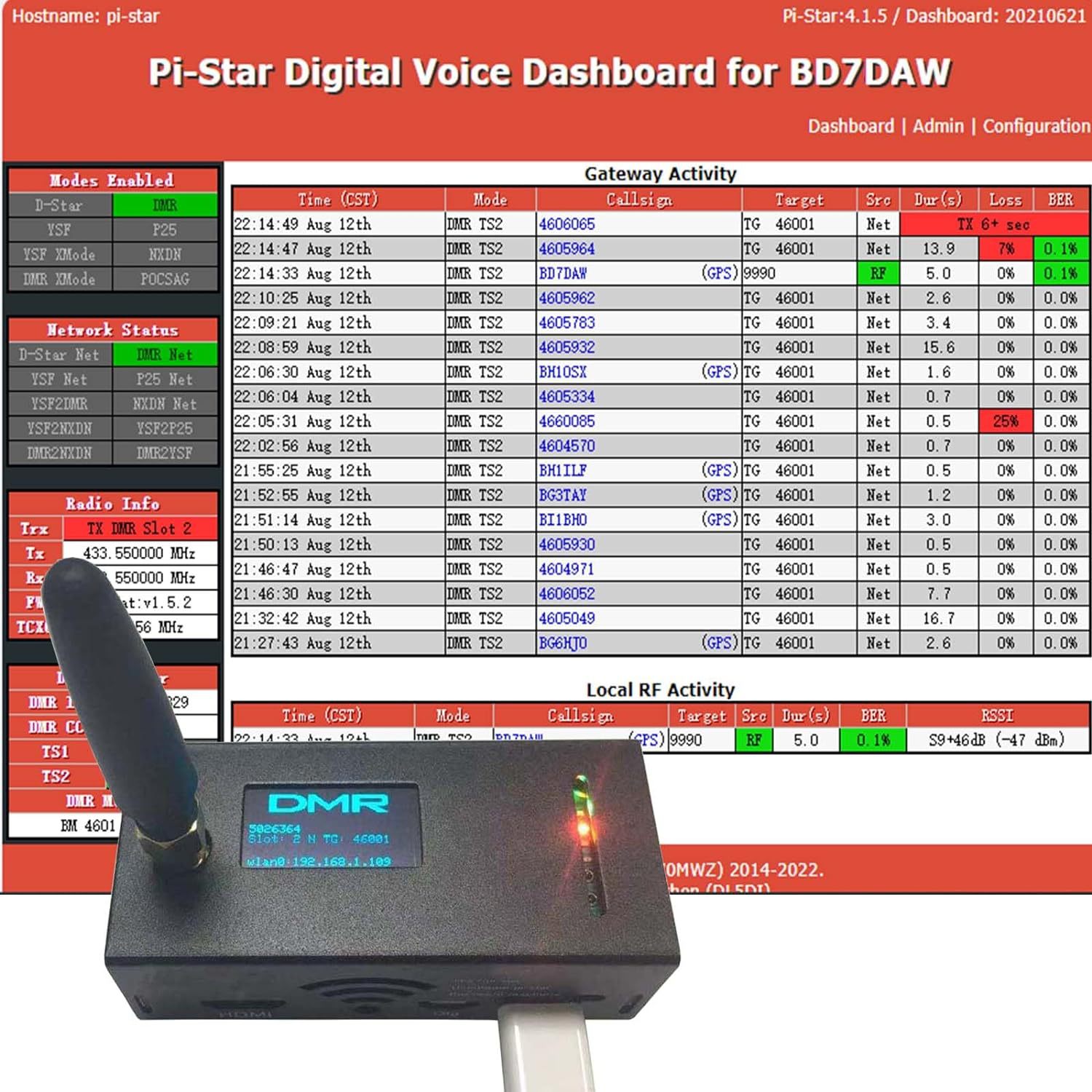
pass is raspberry,then login to SET your CALLSIN,ID,FREQ,and Modem,like the picture:
Description
Description
Note: the OLED will turn on in 2-3 minutes after wifi connected .
All is new. We have preloaded the pi-star IMG in the TF card and set most settings. You will find it more easier to get it work.
1.we have set it to simplex mode.
2.we have choose OLED type
3.we have choose STM32 GPIO type`
4.we have set a tmp wifi parameters, ssid:TZB, password:13902982913
You can open a tmp hotspot by mobile to get the mmdvm to work quickly.
Login info:User:pi-star password:raspberrySet the same Callsign, DMR ID, Frequency, Color code, Repeater Slot
visit http://www.pistar.uk/wifi_builder.php input your home ssid and psk ,then download the wpa_supplicant.conf inside with have your home ssid and psk,then save to TF card ,ROOT root directory example F:\ then power on it ,wait 2-3 minutes ,it will auto connect your home 's ssid,you can check your wifi router to see the pi-star host connected and it's ip.
also you can use your pc to ping pi-star ,if success,you can open http://pi-star or your pi-star's ip default login user is pi-star,
pass is raspberry,then login to SET your CALLSIN,ID,FREQ,and Modem,like the picture:
Item Specifics
Item Specifics
