HT004 100K-6GHz Full Band Low Noise Amplifier,20dB High Gain Power Preamplifier,LNA Module for RF & Software Defined Radio (SDR)
HT004 100K-6GHz Full Band Low Noise Amplifier,20dB High Gain Power Preamplifier,LNA Module for RF & Software Defined Radio (SDR)
In stock
-
All orders are dispatched the next 3 business days!
-
We will beat any price. We back all products with a 1 year guarantee.
Order in the next 0 hours 0 minutes to get it by /09/2026
Couldn't load pickup availability
Guaranteed Safe Checkout
1.95GHz at 20dB Low Noise Amplifier, 0.1MHz~6GHz Full Band RF Power Preamplifier, SMA Female RF Wideband Amplifier Broadband Module Receiver for Shortwave, FM Radio(Without Battery)
1.Does HT004 LNA include battery?
No, this is the battery-free version.
2.How to supply power to HT004 LNA?
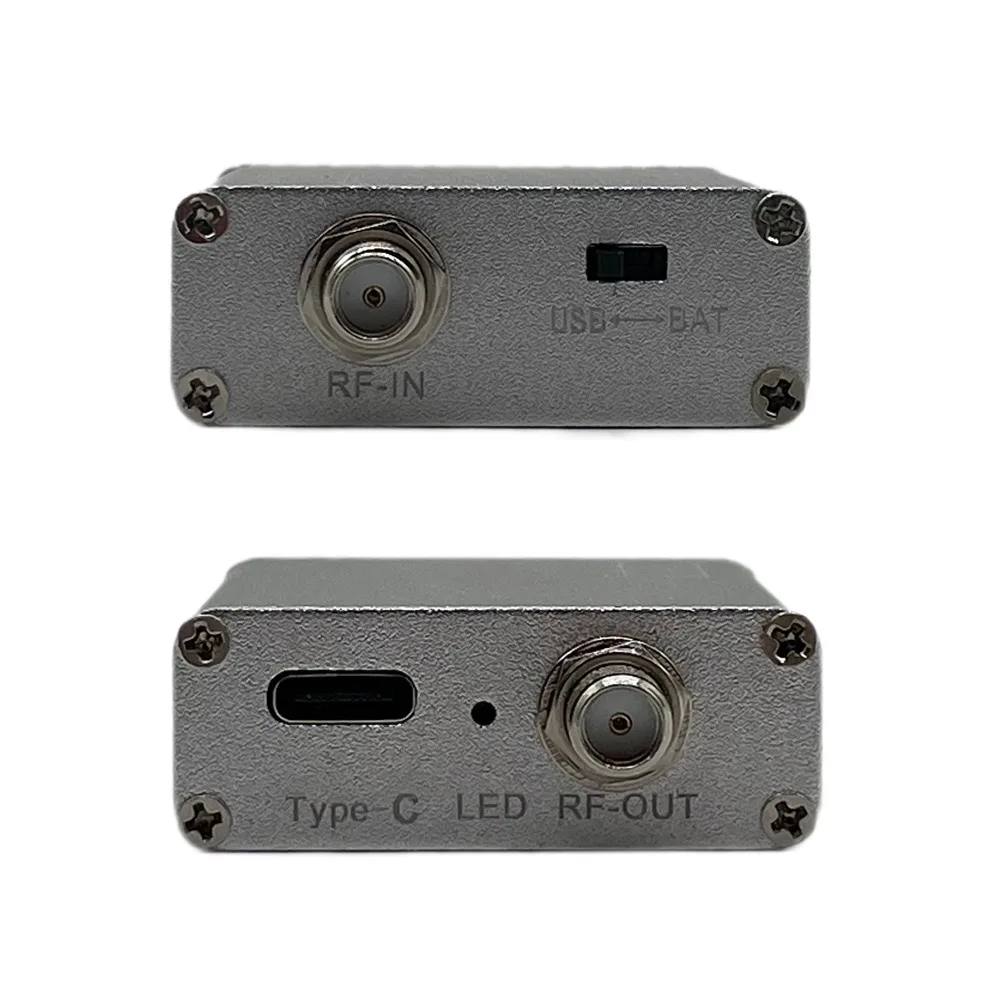
①Move the black button to the Tag"USB"
②Connect the USB cable with a power supply of no more than 5V 1A
③Please note that using more than 5V 1A power supply will cause damage to the HT004 LNA, which is not covered by the warranty!!!
④Cannot use 5V2.4A power bank to charge this device!
3.Can I install a battery inside the HT004 LNA? How do I pick the right battery?
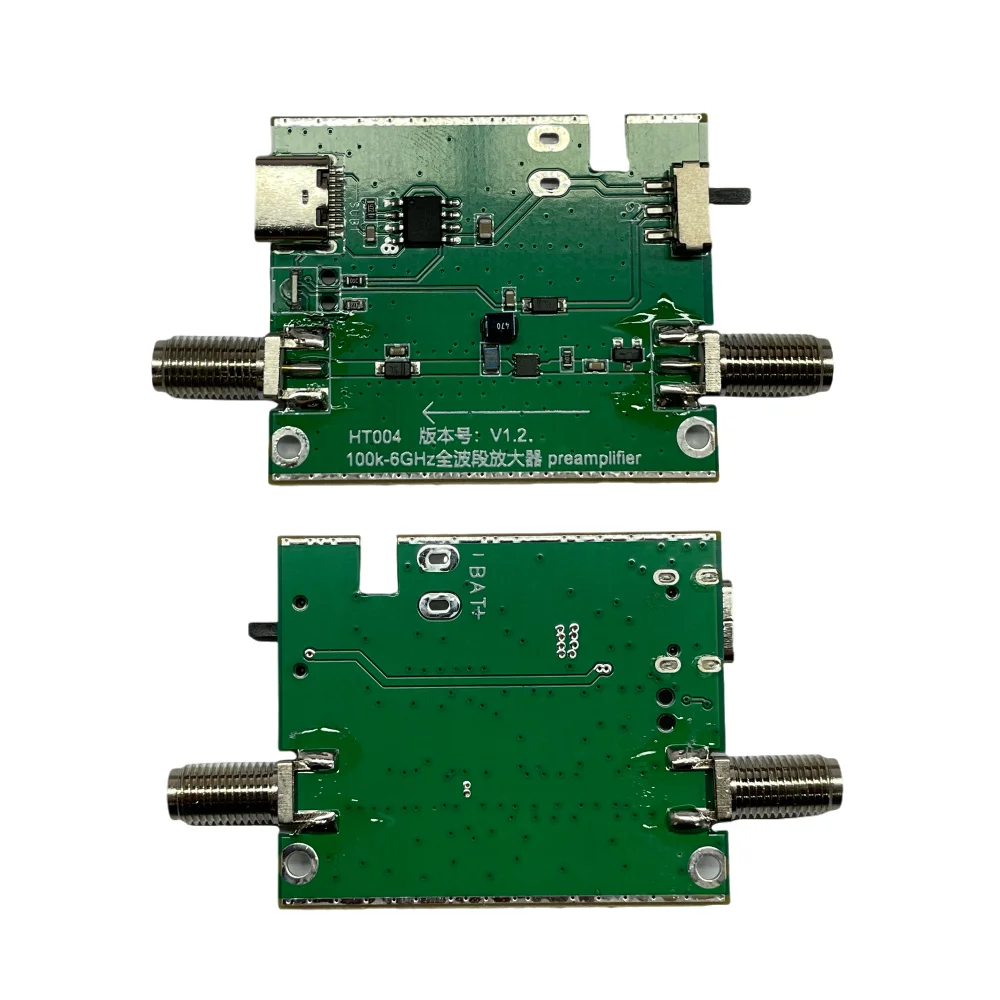
-Yes,We have reserved space for battery installation., and we have uploaded an instructional video for installing the battery on the product detail page.
-Recommended battery specifications:
①Compatible with 3.7V300mAh/3.7v500mAh battery
②Battery size
≤ Length*Width*Thickness(30*30*6mm)
You can search keyword "3.7V 500mAh 603030 " on the platform.
4. How to charge the battery after installing it?
①Move the black button to the Tag"BAT"
②Connect the USB cable with a power supply of no more than 5V 1A
③Please note that using more than 5V 1A power supply will cause damage to the HT004 LNA, which is not covered by the warranty!!!
Feature
【Professional】High linearity,ultra low noise gain block amplifier. High linearity: +35dBm output IP3; high input power ruggedness, +22dBm continuous wave.
【Stable Performance】 RF amplifier ultra bandwidth, high reliability, not easy to corrosion and fall off. Amplifier module with wide frequency range, high gain, low noise figure, unconditionally stable.
【Parameters】 Low noise amplifier module,+20dB of RF Gain at 35-2000MHz, input and output impedance: 50Ω, bandwidth: 0.1MHz-6GHz.
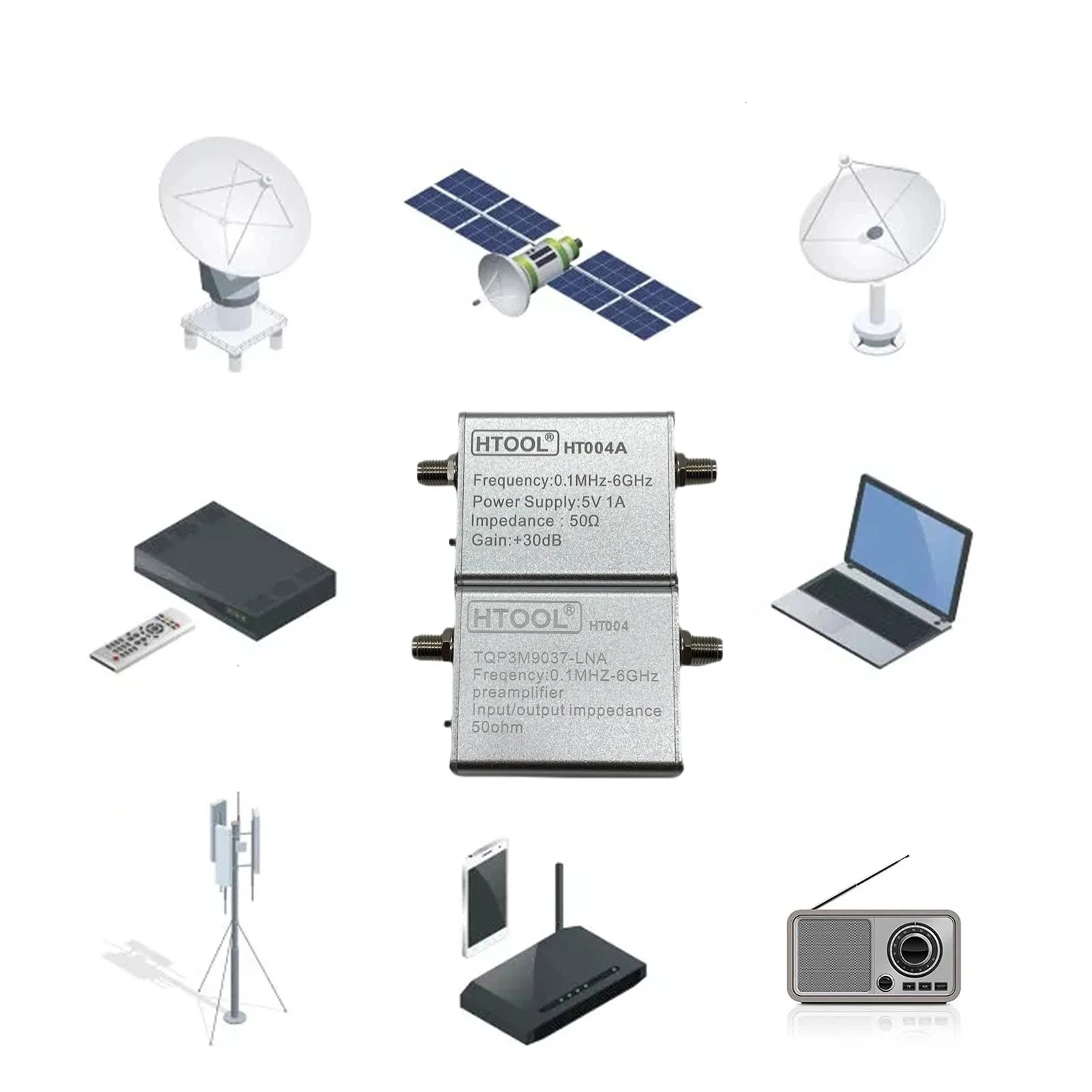
【Appliable】 RF amplifier has excellent performance, excellent uniformity and high reliability. It is suitable for shortwave, FM radio, remote control receiver, cable TV signal amplifier, etc.
【Power Supply】The product does not include a battery, but you can install a 3.7V 300mAh Lithium Battery in the device.
Specification
Item Type: Low Noise Amplifier
Product Model:HT004
Material: Metal
Built-in TQP3M9037-LNA
Frequency Range: 0.1MHz-6GHz
Connector: SMA Female
Gain: 20dB (typical)
Input, Output Impedance: 50Ω
Input Voltage: 5V 70mA
Battery Type: without battery
Product Size: 4.8*4*1.5cm/ 1.9*1.6*0.6inch
Gain
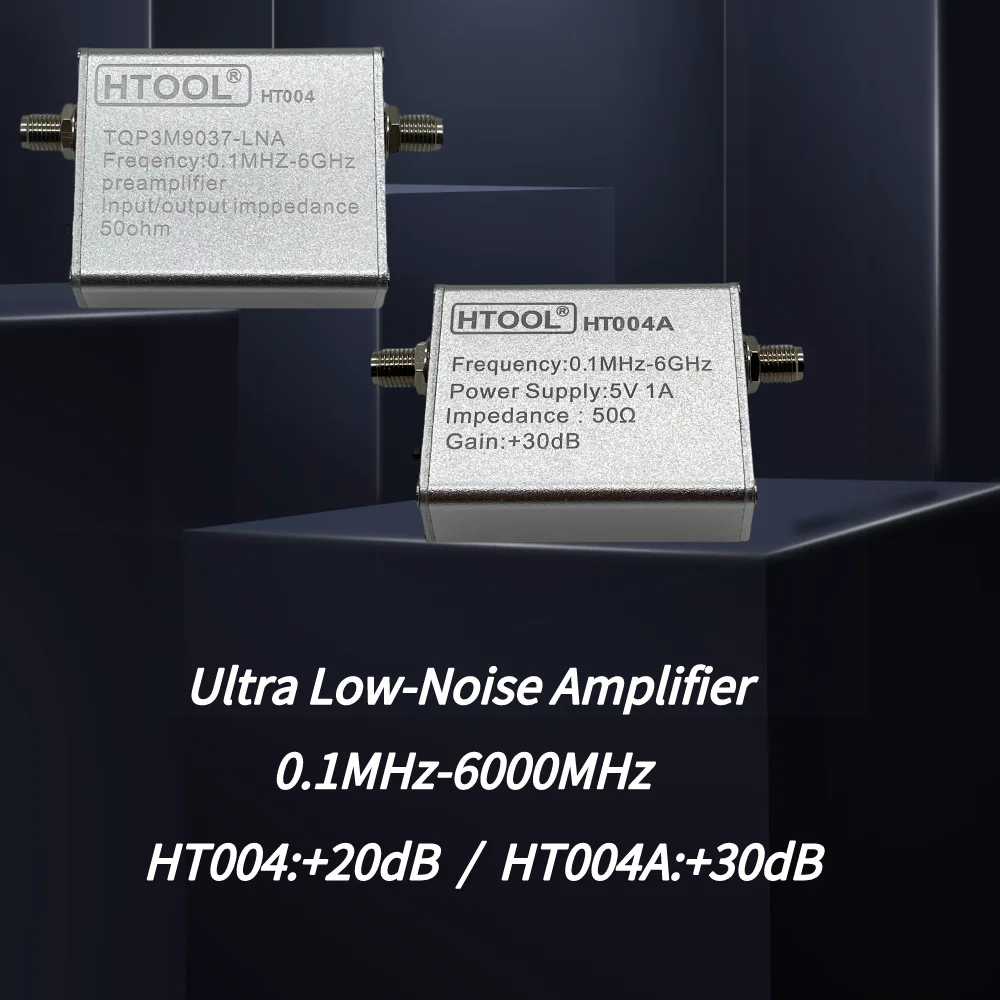
HT004:
+20dB of RF Gain at 35-2000MHz
HT004A:
+30dB of RF Gain at 1000MHz-3300MHz
Package List
1 x Low Noise Amplifier (Without Battery)
1 x USB Cable




How to connect an extra battery?
There are certain steps and principles that need to be followed in order to solder a battery to a 100K-6GHz full band amplifier board. Please note that there may be different requirements and guidelines for specific boards and battery types. The following are general steps:
1. First, determine the type and specifications of the battery. Select the appropriate battery for this amplifier board, such as a lithium-ion or dry cell battery. Make sure the battery has the required operating voltage and current.
2. Find a suitable location on the amplifier board for soldering the battery. Usually, there will be a battery connector or pad on the board specifically for connecting to a power source.
3. Make sure to disconnect the board from any power source or battery before soldering to prevent short circuiting or damage.
4. Prepare the soldering tools and materials, including the soldering station, solder, soldering iron, and auxiliary tools. Ensure that the correct tools and proper soldering techniques are used.
5. Clean and prepare the soldering area. Ensure that the pads or connectors of the amplifier board are clean and remove any stains or oxides that may affect the quality of the solder.
6. Heat the soldering iron to the proper temperature. Heat the soldering iron to the proper temperature (typically 250-350 degrees Celsius), depending on the requirements of the solder.
7. Apply solder to pads or battery pins. With the soldering iron already preheated, gently touch the solder to the pad or battery pin until the solder melts and evenly coats the pad or pin.
8. Quickly but gently insert the battery pins or align the pads with the battery pins. Make sure the alignment is correct and remove the soldering iron as soon as possible.
9. Wait for the solder to cool and cure. After ensuring that the solder joint is sufficiently cooled and cured, check the solder again for firmness.
Remember that soldering needs to be done carefully to avoid generating excessive heat or prolonged contact to prevent damage to the board and battery. If you feel unsafe or inexperienced with soldering, it is recommended that you call in a professional or technician to complete the soldering task.
Purchase Tips
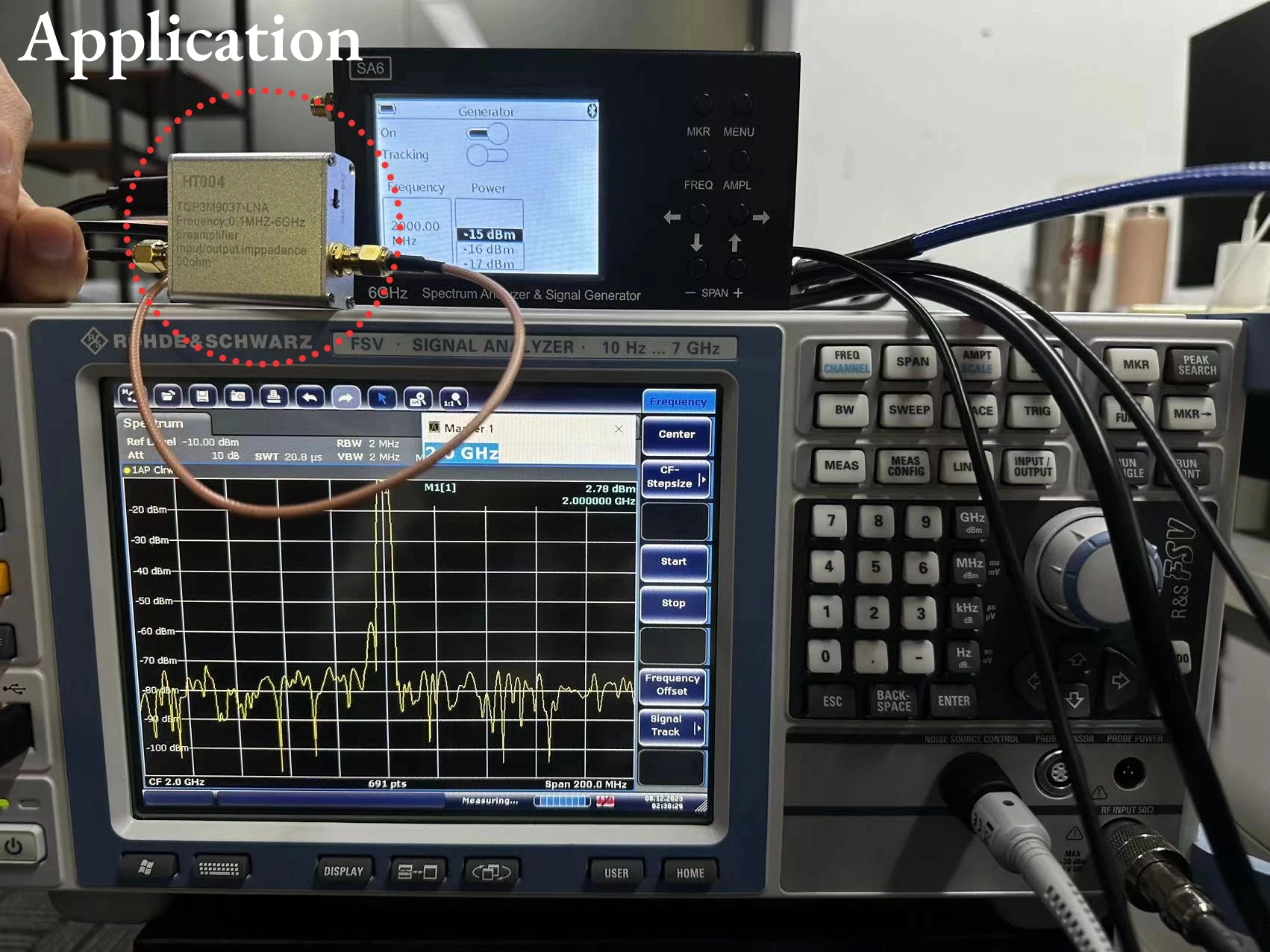
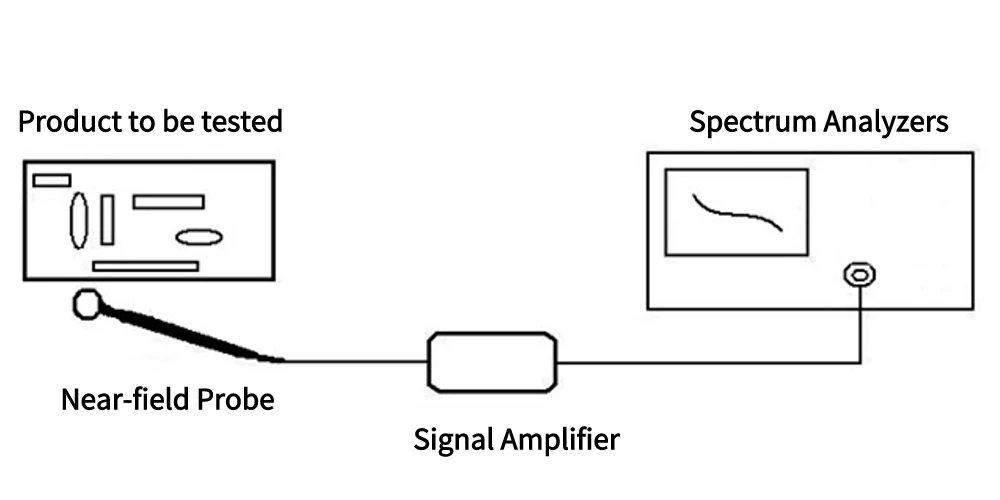
The 100k-6GHz Full Band Low Noise Amplifier is an electronic component capable of providing low noise amplification in the 100kHz to 6GHz frequency band. It is suitable for applications such as wireless communications, RF transceiver systems, radar and satellite communications.
The function of a low noise amplifier is to amplify the input signal and keep the noise level as low as possible. Such amplifiers usually employ special designs and materials to reduce the noise figure and improve signal quality. In the 100k-6GHz range, the amplifier is capable of handling signals from very low frequencies to higher frequencies.
How do you pick an all-band low noise amplifier? There are a few key elements to look for: gain, bandwidth and noise figure.
Gain refers to the number of times the amplifier amplifies the input signal. Bandwidth, on the other hand, indicates the frequency range over which the amplifier can operate effectively. Noise figure measures the effect of additional noise introduced by the amplifier on the quality of the signal, with a lower noise figure indicating better amplifier performance.
Description
Description
1.95GHz at 20dB Low Noise Amplifier, 0.1MHz~6GHz Full Band RF Power Preamplifier, SMA Female RF Wideband Amplifier Broadband Module Receiver for Shortwave, FM Radio(Without Battery)
1.Does HT004 LNA include battery?
No, this is the battery-free version.
2.How to supply power to HT004 LNA?
①Move the black button to the Tag"USB"
②Connect the USB cable with a power supply of no more than 5V 1A
③Please note that using more than 5V 1A power supply will cause damage to the HT004 LNA, which is not covered by the warranty!!!
④Cannot use 5V2.4A power bank to charge this device!
3.Can I install a battery inside the HT004 LNA? How do I pick the right battery?
-Yes,We have reserved space for battery installation., and we have uploaded an instructional video for installing the battery on the product detail page.
-Recommended battery specifications:
①Compatible with 3.7V300mAh/3.7v500mAh battery
②Battery size
≤ Length*Width*Thickness(30*30*6mm)
You can search keyword "3.7V 500mAh 603030 " on the platform.
4. How to charge the battery after installing it?
①Move the black button to the Tag"BAT"
②Connect the USB cable with a power supply of no more than 5V 1A
③Please note that using more than 5V 1A power supply will cause damage to the HT004 LNA, which is not covered by the warranty!!!
Feature
【Professional】High linearity,ultra low noise gain block amplifier. High linearity: +35dBm output IP3; high input power ruggedness, +22dBm continuous wave.
【Stable Performance】 RF amplifier ultra bandwidth, high reliability, not easy to corrosion and fall off. Amplifier module with wide frequency range, high gain, low noise figure, unconditionally stable.
【Parameters】 Low noise amplifier module,+20dB of RF Gain at 35-2000MHz, input and output impedance: 50Ω, bandwidth: 0.1MHz-6GHz.
【Appliable】 RF amplifier has excellent performance, excellent uniformity and high reliability. It is suitable for shortwave, FM radio, remote control receiver, cable TV signal amplifier, etc.
【Power Supply】The product does not include a battery, but you can install a 3.7V 300mAh Lithium Battery in the device.
Specification
Item Type: Low Noise Amplifier
Product Model:HT004
Material: Metal
Built-in TQP3M9037-LNA
Frequency Range: 0.1MHz-6GHz
Connector: SMA Female
Gain: 20dB (typical)
Input, Output Impedance: 50Ω
Input Voltage: 5V 70mA
Battery Type: without battery
Product Size: 4.8*4*1.5cm/ 1.9*1.6*0.6inch
Gain
HT004:
+20dB of RF Gain at 35-2000MHz
HT004A:
+30dB of RF Gain at 1000MHz-3300MHz
Package List
1 x Low Noise Amplifier (Without Battery)
1 x USB Cable
How to connect an extra battery?
There are certain steps and principles that need to be followed in order to solder a battery to a 100K-6GHz full band amplifier board. Please note that there may be different requirements and guidelines for specific boards and battery types. The following are general steps:
1. First, determine the type and specifications of the battery. Select the appropriate battery for this amplifier board, such as a lithium-ion or dry cell battery. Make sure the battery has the required operating voltage and current.
2. Find a suitable location on the amplifier board for soldering the battery. Usually, there will be a battery connector or pad on the board specifically for connecting to a power source.
3. Make sure to disconnect the board from any power source or battery before soldering to prevent short circuiting or damage.
4. Prepare the soldering tools and materials, including the soldering station, solder, soldering iron, and auxiliary tools. Ensure that the correct tools and proper soldering techniques are used.
5. Clean and prepare the soldering area. Ensure that the pads or connectors of the amplifier board are clean and remove any stains or oxides that may affect the quality of the solder.
6. Heat the soldering iron to the proper temperature. Heat the soldering iron to the proper temperature (typically 250-350 degrees Celsius), depending on the requirements of the solder.
7. Apply solder to pads or battery pins. With the soldering iron already preheated, gently touch the solder to the pad or battery pin until the solder melts and evenly coats the pad or pin.
8. Quickly but gently insert the battery pins or align the pads with the battery pins. Make sure the alignment is correct and remove the soldering iron as soon as possible.
9. Wait for the solder to cool and cure. After ensuring that the solder joint is sufficiently cooled and cured, check the solder again for firmness.
Remember that soldering needs to be done carefully to avoid generating excessive heat or prolonged contact to prevent damage to the board and battery. If you feel unsafe or inexperienced with soldering, it is recommended that you call in a professional or technician to complete the soldering task.
Purchase Tips
The 100k-6GHz Full Band Low Noise Amplifier is an electronic component capable of providing low noise amplification in the 100kHz to 6GHz frequency band. It is suitable for applications such as wireless communications, RF transceiver systems, radar and satellite communications.
The function of a low noise amplifier is to amplify the input signal and keep the noise level as low as possible. Such amplifiers usually employ special designs and materials to reduce the noise figure and improve signal quality. In the 100k-6GHz range, the amplifier is capable of handling signals from very low frequencies to higher frequencies.
How do you pick an all-band low noise amplifier? There are a few key elements to look for: gain, bandwidth and noise figure.
Gain refers to the number of times the amplifier amplifies the input signal. Bandwidth, on the other hand, indicates the frequency range over which the amplifier can operate effectively. Noise figure measures the effect of additional noise introduced by the amplifier on the quality of the signal, with a lower noise figure indicating better amplifier performance.
Item Specifics
Item Specifics
