Asssembled Si5351-2VFO-150 Signal Generator 2 Ch Signal Source VFO-5351A V1.03 Square Wave
Asssembled Si5351-2VFO-150 Signal Generator 2 Ch Signal Source VFO-5351A V1.03 Square Wave
In stock
-
All orders are dispatched the next 3 business days!
-
We will beat any price. We back all products with a 1 year guarantee.
Order in the next 0 hours 0 minutes to get it by /09/2026
Couldn't load pickup availability
Guaranteed Safe Checkout

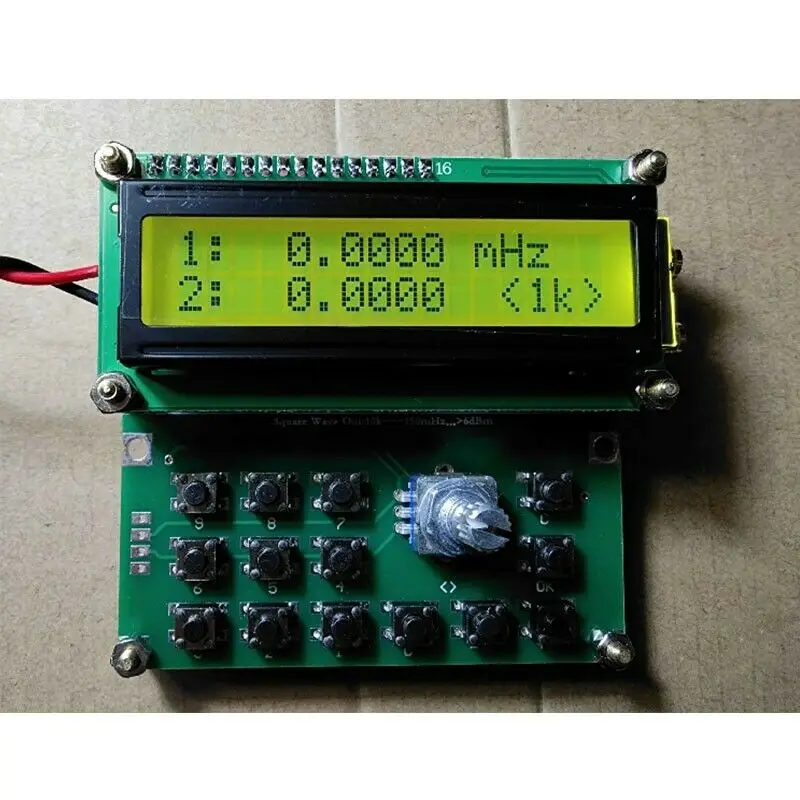
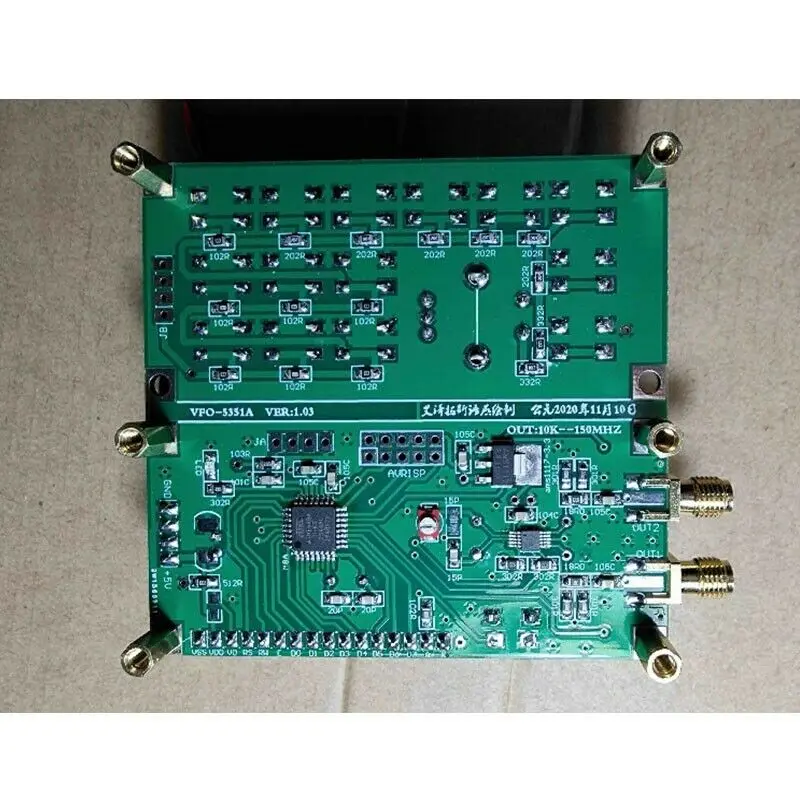
i5351-2VFO-150 Signal Generator 2 Channel Signal Source VFO-5351A V1.03 Square Wave Out 10K-150MHz
Link for board diagrams, pictures, software, the source code of bottom-level MCU that can be directly compiled):
Please ask us for download link of 70990
Specifications:
- Power supply voltage: DC 4.5V-5.5V (note that this machine does not have a built-in voltage regulator unit, and must not supply power over the voltage range)
- Power supply current: 60mA
- Output bandwidth: 0.01mHz-150mHz (10K-150MHz)
- Scan output step: 1khz, 10khz, 100khz, 1mhz (4 kinds)
- Output impedance: 50 ohms
- Output waveform: square wave
- Output VPP: 2.6V
Operations:
Operating keyboard has 15 ppt buttons. There are 10 numeric buttons from 0 to 9, and "++" and "--" buttons are used to adjust frequency and also generate transmitting output. Short press the "++" or "--" button, the step will add 1khz or subtract 1khz when the original frequency is output. Press and hold "++" or "--" for more than 1 second, and a continuous increase or decrease scan mode will appear. To finish scanning, just press the "++" "--" button or the "ok" button. The "ok" button is the output control button, press it once to transmit, and press it again to stop transmitting. The transmitting caused by "++" or "--" must be ended by pressing "OK" twice. When this product has output transmission behavior, ">>" will appear in the upper right corner of the display, and "C" button is used to end the transmission and return the frequency to zero.
There is a channel selection cycle button at the bottom of the LCD screen, which cycles through the selection in turn: when it turns on, the default is "1st channel output", "2nd channel output", "two channels simultaneously output".
Step "< >" button can be replaced by a down-press mechanical rotary encoder, which is used for continuous increase or continuous decrease scan mode for easy adjustment. Cycle selection step "1K", "10K", "100K", "1M". Rotate the encoder counterclockwise to decrease, and rotate the encoder clockwise to increase. Press the encoder to replace the original keyboard "<>" step selection key, which is more convenient for users.
Package Included:
- 1 x Set of Signal Generator Module





Description
Description
i5351-2VFO-150 Signal Generator 2 Channel Signal Source VFO-5351A V1.03 Square Wave Out 10K-150MHz
Link for board diagrams, pictures, software, the source code of bottom-level MCU that can be directly compiled):
Please ask us for download link of 70990
Specifications:
- Power supply voltage: DC 4.5V-5.5V (note that this machine does not have a built-in voltage regulator unit, and must not supply power over the voltage range)
- Power supply current: 60mA
- Output bandwidth: 0.01mHz-150mHz (10K-150MHz)
- Scan output step: 1khz, 10khz, 100khz, 1mhz (4 kinds)
- Output impedance: 50 ohms
- Output waveform: square wave
- Output VPP: 2.6V
Operations:
Operating keyboard has 15 ppt buttons. There are 10 numeric buttons from 0 to 9, and "++" and "--" buttons are used to adjust frequency and also generate transmitting output. Short press the "++" or "--" button, the step will add 1khz or subtract 1khz when the original frequency is output. Press and hold "++" or "--" for more than 1 second, and a continuous increase or decrease scan mode will appear. To finish scanning, just press the "++" "--" button or the "ok" button. The "ok" button is the output control button, press it once to transmit, and press it again to stop transmitting. The transmitting caused by "++" or "--" must be ended by pressing "OK" twice. When this product has output transmission behavior, ">>" will appear in the upper right corner of the display, and "C" button is used to end the transmission and return the frequency to zero.
There is a channel selection cycle button at the bottom of the LCD screen, which cycles through the selection in turn: when it turns on, the default is "1st channel output", "2nd channel output", "two channels simultaneously output".
Step "< >" button can be replaced by a down-press mechanical rotary encoder, which is used for continuous increase or continuous decrease scan mode for easy adjustment. Cycle selection step "1K", "10K", "100K", "1M". Rotate the encoder counterclockwise to decrease, and rotate the encoder clockwise to increase. Press the encoder to replace the original keyboard "<>" step selection key, which is more convenient for users.
Package Included:
- 1 x Set of Signal Generator Module
Item Specifics
Item Specifics
