Assembled Duplex MMDVM Hotspot UHF VHF + OLED + Antenna Case Kit Support P25 DMR YSF DSTA NXDN With Raspberry Pi Zero W
Assembled Duplex MMDVM Hotspot UHF VHF + OLED + Antenna Case Kit Support P25 DMR YSF DSTA NXDN With Raspberry Pi Zero W
In stock
-
All orders are dispatched the next 3 business days!
-
We will beat any price. We back all products with a 1 year guarantee.
Order in the next 0 hours 0 minutes to get it by /09/2026
Couldn't load pickup availability
Guaranteed Safe Checkout
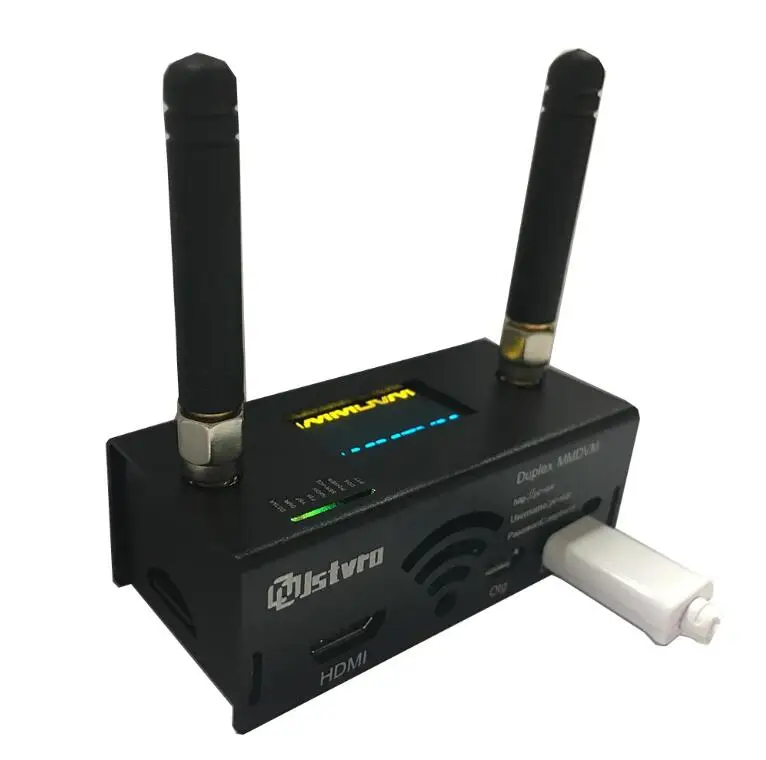
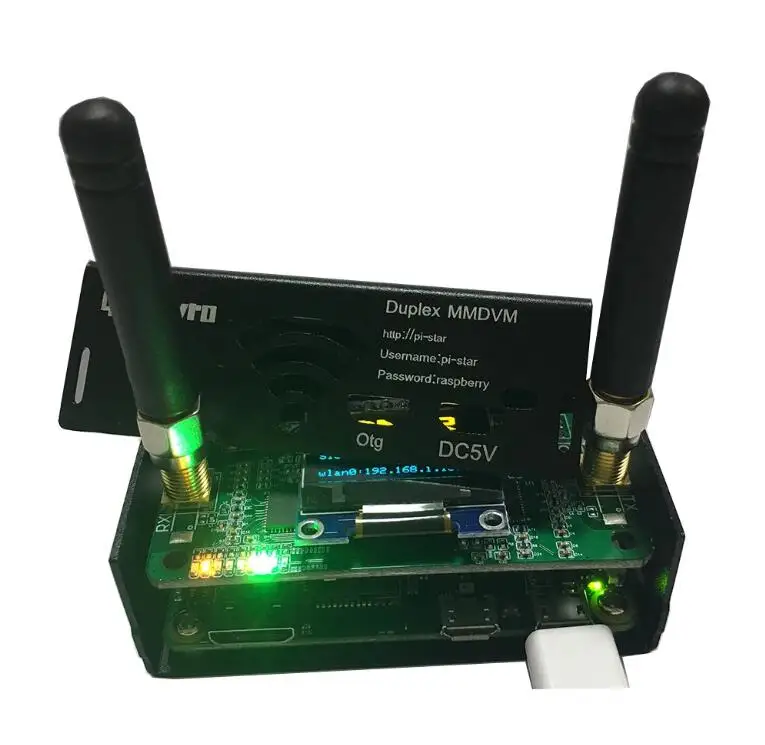
Duplex MMDVM Hotspot Board + OLED + Antenna + Case Kit Support P25 DMR YSF For Raspberry PiFeatures:-High performance 32-bit ARM processor-Supports DMR, P-25, D-Star and System Fusion-Fully tested-Onboard LED to show status (TX, RX, PTT, Mode)-SMA antenna connector, antenna included-Mounts cleanly on all current Raspberry Pi's including the Pi Zero
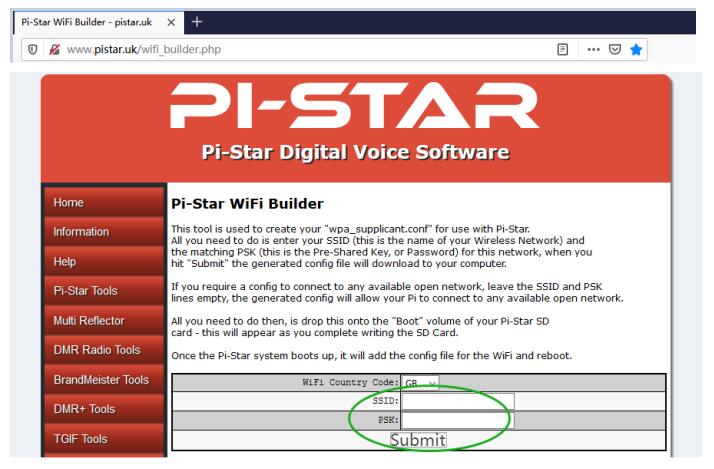
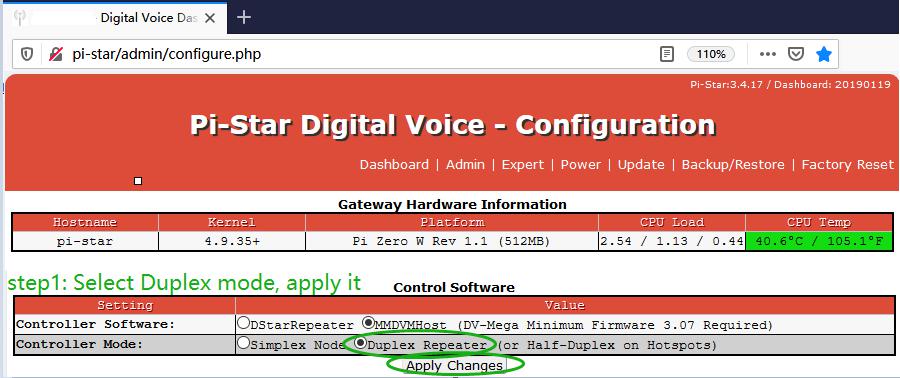
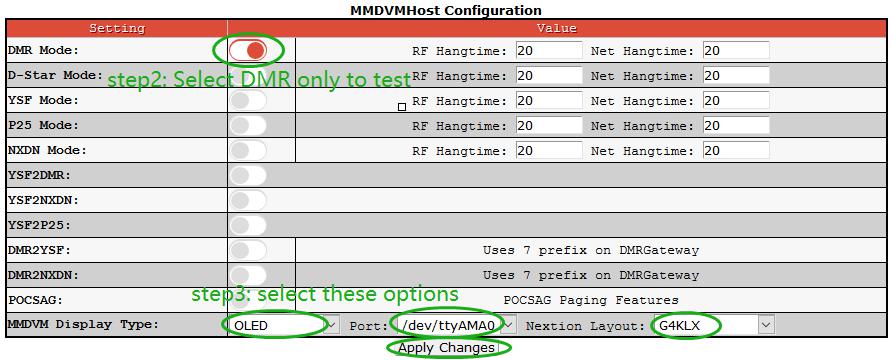
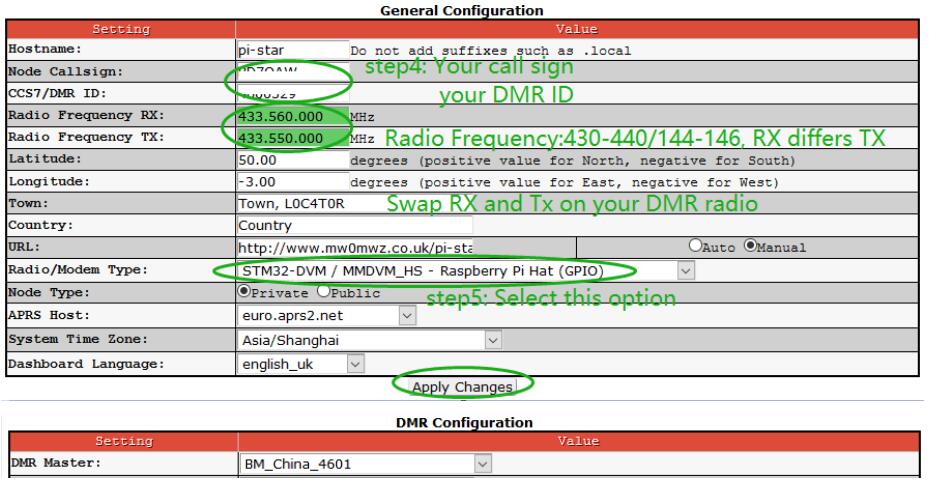
How to write WiFi detail into the Hotspot:Method 1: Generate WiFi config file, and plug it into TF card.We need a TF reader. Put our TF card into this TF reader and plug this into our computer.Go to http://www.pistar.uk/wifi_builder.php and then fill your WIFI name into the SSID, password into the PSK, click submit. Then the file “wpa_supplicant.conf” is generated. Drag this file into your TF card’s boot path. And plug the card into your hotspot. Power up your hotspot, and wait for 1-2minutes.Then we go to http://pi-star and play with the settings. Please keep this in mind that gadget only support 2.4 Gigahertz router, and it does not work with 5.8G router.

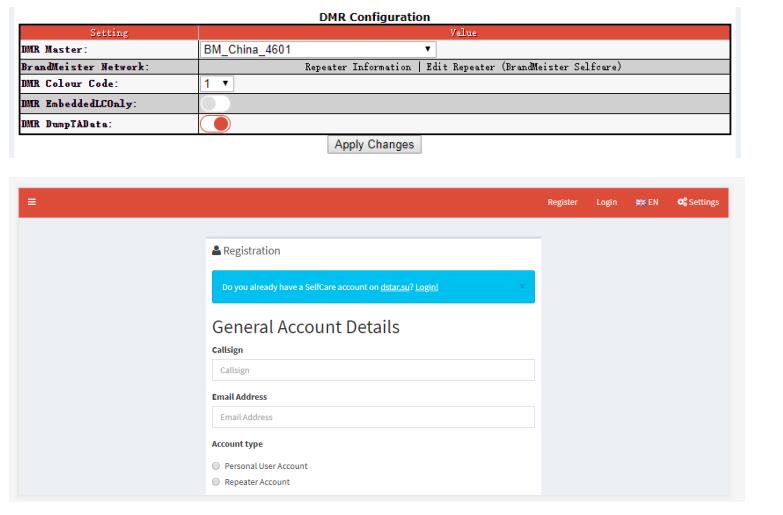
Recommend to register static talk group,keep long time in groupsClick Edit Repeater. Then Register.




Description
Description
Duplex MMDVM Hotspot Board + OLED + Antenna + Case Kit Support P25 DMR YSF For Raspberry PiFeatures:-High performance 32-bit ARM processor-Supports DMR, P-25, D-Star and System Fusion-Fully tested-Onboard LED to show status (TX, RX, PTT, Mode)-SMA antenna connector, antenna included-Mounts cleanly on all current Raspberry Pi's including the Pi Zero
How to write WiFi detail into the Hotspot:Method 1: Generate WiFi config file, and plug it into TF card.We need a TF reader. Put our TF card into this TF reader and plug this into our computer.Go to http://www.pistar.uk/wifi_builder.php and then fill your WIFI name into the SSID, password into the PSK, click submit. Then the file “wpa_supplicant.conf” is generated. Drag this file into your TF card’s boot path. And plug the card into your hotspot. Power up your hotspot, and wait for 1-2minutes.Then we go to http://pi-star and play with the settings. Please keep this in mind that gadget only support 2.4 Gigahertz router, and it does not work with 5.8G router.
Recommend to register static talk group,keep long time in groupsClick Edit Repeater. Then Register.
Item Specifics
Item Specifics
