10KHz -1.5GHz NanoVNA-H 2.8" Touchscreen Network Analyzer Digital Touching Screen Antenna Analyzer
10KHz -1.5GHz NanoVNA-H 2.8" Touchscreen Network Analyzer Digital Touching Screen Antenna Analyzer
In stock
-
All orders are dispatched the next 3 business days!
-
We will beat any price. We back all products with a 1 year guarantee.
Order in the next 0 hours 0 minutes to get it by /09/2026
Couldn't load pickup availability
Guaranteed Safe Checkout
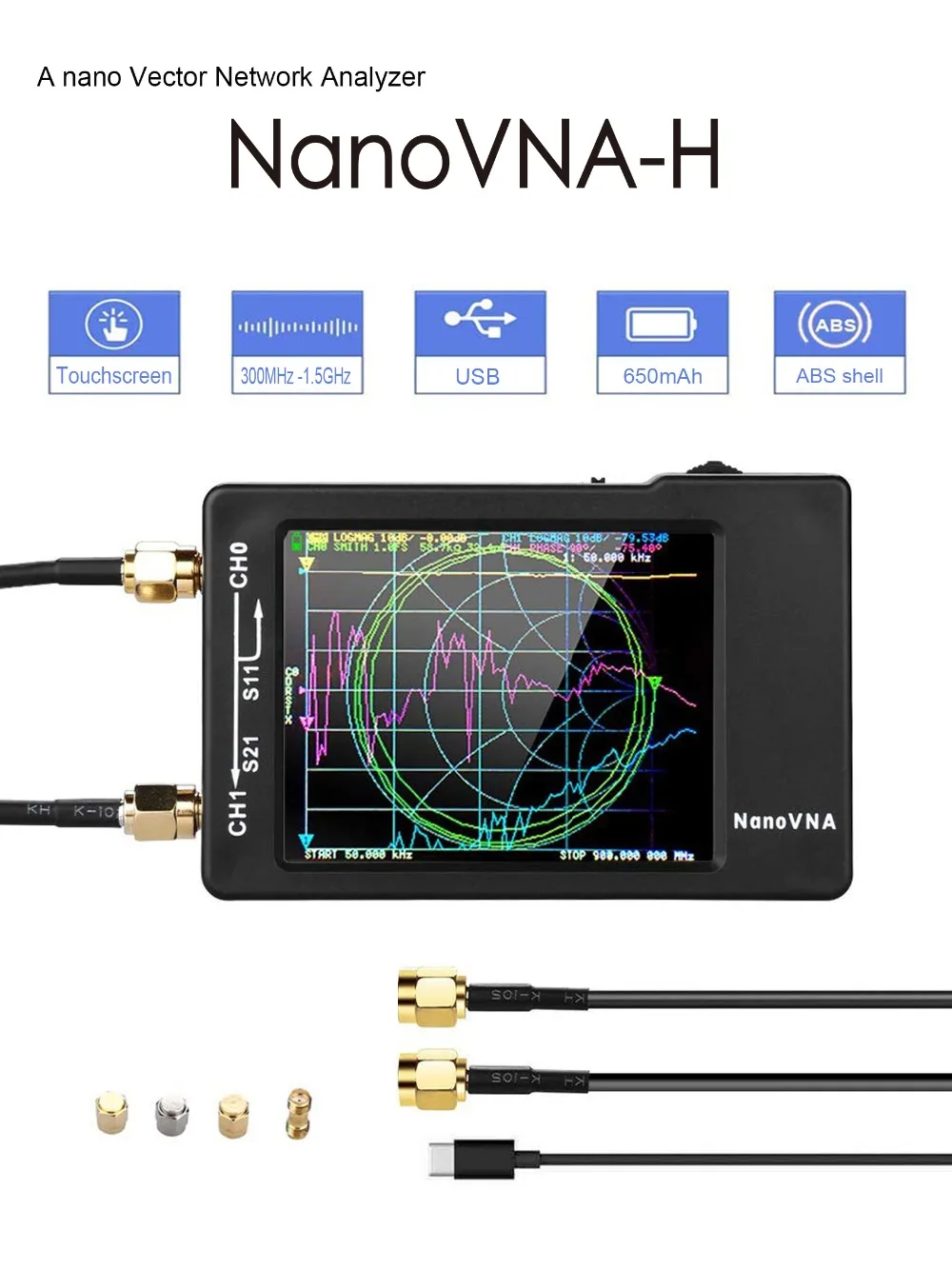
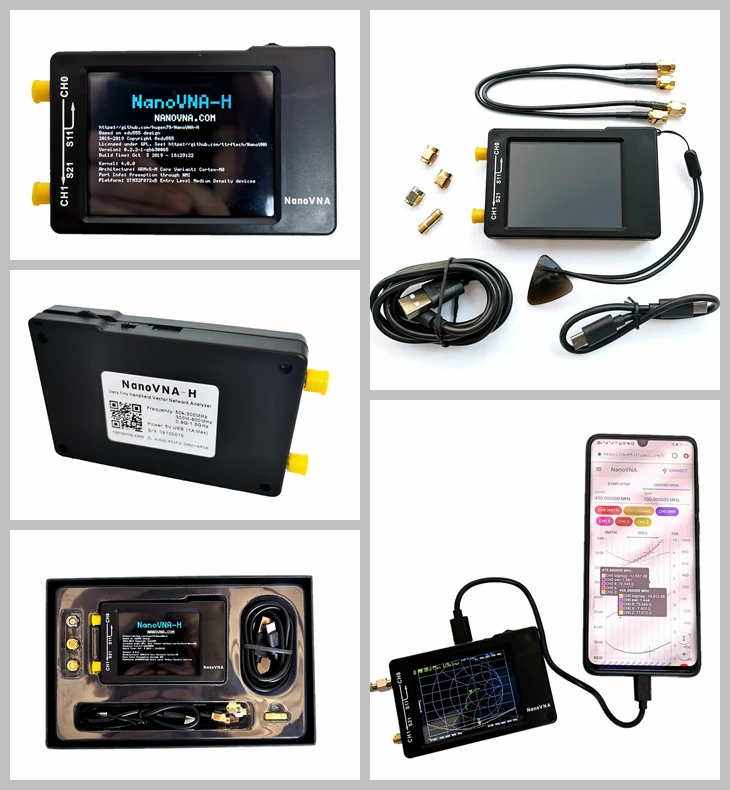
Basic performance:
ABS case: 58.7mm x 91.3mm x 17.1mm (excluding protrusions)
PCB: 54mm x 85.5mm x 11mm (without connectors, switches)
Measurement frequency: 10KHz -1.5GHz
RF output: 0dbm (±2dbm)
Measurement range: 70dB (50kHz-300MHz), 60dB (300M-900MHz), 40dB(0.9G-1.5GHz));
Port SWR: < 1.1
Display: 2.8 inch TFT (320 x240)
USB interface: USB type-C communication mode: CDC (serial)
Power: USB 5V 120mA, built-in 650mAh battery, maximum charging current 300mA
Number of scanning points: 101 (fixed)
Display Tracking: 4, Marking: 4, Setting Save: 5
Frequency Tolerance:<2.5ppm
Frequency Stability:<0.5ppm
NanoVNA is an open source hardware project, everyone can be free to clone and DIY, but we hope you can do more understanding before you do it, there are some customers reflected that they have bought the low quality nanoVNA from
other sources. We have found some low quality clones on the Internet which claimed have completed the project. Buying such hardware may be harm on NanoVNA performance, or leading to measurement error.
We provide 5 firmware on the network hard drive, you can choose the appropriate brush in accordance with the relevant tutorials, 5 firmware differences are as follows:
nanoVNA_300_ch:50K-300MHz,5*7 Bitmap font,4 tracks
nanoVNA_900_ch:50K-900MHz,5*7 Bitmap font,4 tracks(Default)
nanoVNA_900_aa:50K-900MHz,7*13 Bitmap font,2 tracks (Antenna Analyzer)
The 800MHz firmware works better at higher temperatures.
nanoVNA_800_ch:50K-900MHz,5*7 Bitmap font,4 tracks(Recommended)
nanoVNA_800_aa:50K-900MHz,7*13 Bitmap font,2 tracks (Antenna Analyzer)
We will continue to provide updates and technical support services for NanoVNA within 3 years after purchase.
We will test before shipment and connect directly to the SMA port for calibration, the calibration data is stored in state 0, and the boot will load the status 0 data directly.

Description
Description
Basic performance:
ABS case: 58.7mm x 91.3mm x 17.1mm (excluding protrusions)
PCB: 54mm x 85.5mm x 11mm (without connectors, switches)
Measurement frequency: 10KHz -1.5GHz
RF output: 0dbm (±2dbm)
Measurement range: 70dB (50kHz-300MHz), 60dB (300M-900MHz), 40dB(0.9G-1.5GHz));
Port SWR: < 1.1
Display: 2.8 inch TFT (320 x240)
USB interface: USB type-C communication mode: CDC (serial)
Power: USB 5V 120mA, built-in 650mAh battery, maximum charging current 300mA
Number of scanning points: 101 (fixed)
Display Tracking: 4, Marking: 4, Setting Save: 5
Frequency Tolerance:<2.5ppm
Frequency Stability:<0.5ppm
NanoVNA is an open source hardware project, everyone can be free to clone and DIY, but we hope you can do more understanding before you do it, there are some customers reflected that they have bought the low quality nanoVNA from
other sources. We have found some low quality clones on the Internet which claimed have completed the project. Buying such hardware may be harm on NanoVNA performance, or leading to measurement error.
We provide 5 firmware on the network hard drive, you can choose the appropriate brush in accordance with the relevant tutorials, 5 firmware differences are as follows:
nanoVNA_300_ch:50K-300MHz,5*7 Bitmap font,4 tracks
nanoVNA_900_ch:50K-900MHz,5*7 Bitmap font,4 tracks(Default)
nanoVNA_900_aa:50K-900MHz,7*13 Bitmap font,2 tracks (Antenna Analyzer)
The 800MHz firmware works better at higher temperatures.
nanoVNA_800_ch:50K-900MHz,5*7 Bitmap font,4 tracks(Recommended)
nanoVNA_800_aa:50K-900MHz,7*13 Bitmap font,2 tracks (Antenna Analyzer)
We will continue to provide updates and technical support services for NanoVNA within 3 years after purchase.
We will test before shipment and connect directly to the SMA port for calibration, the calibration data is stored in state 0, and the boot will load the status 0 data directly.
Item Specifics
Item Specifics
